
Make a game from nothing
Start with an empty level and build a tiny coin-collecting game: a hero, some ground, a coin, and two rules. No tutorial panel, just you.
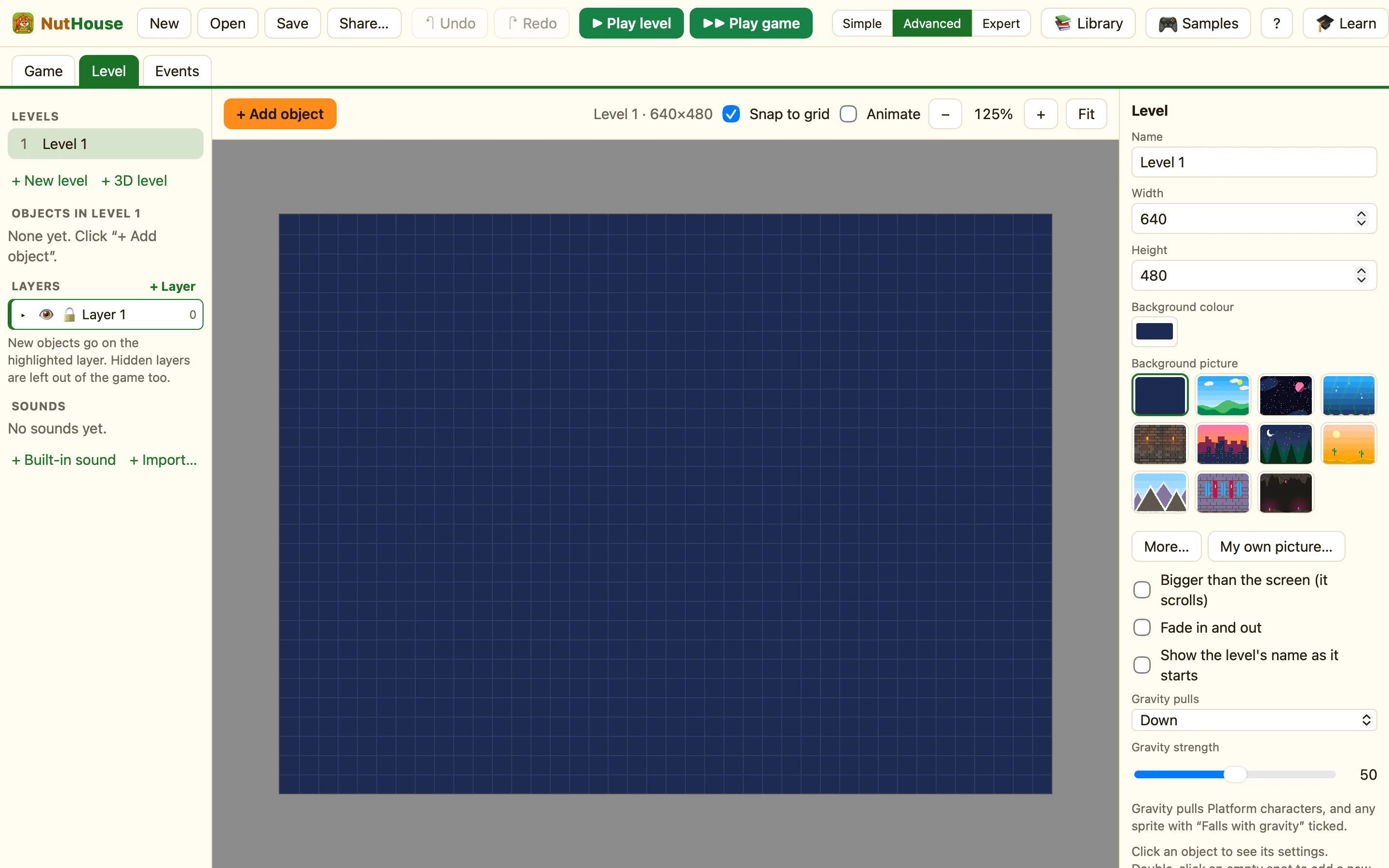
What you will make
A hero who walks and jumps on grass, and a coin that gives points when you touch it. It uses the same pieces as every NutHouse game: objects, a movement, and rules.
Step 1: an empty level
- On the Welcome screen press Start a new game. (If NutHouse is already open, press New in the toolbar.)
- You are in the Level tab. The dark blue box is your level. The grey part around it is off-screen: players never see it.
Step 2: ground to stand on
- Press + Add object. The library opens.
- Type grass in the search box and click Grass. It is solid ground.
- Drag it to the bottom of the level.
- With Grass selected, press Make grid… on the right. Choose 12 columns and 1 row, then OK. Now the floor runs across the whole level.
Step 3: a hero
- Press + Add object again. Click Hero under Characters.
- Drag the Hero so it sits on the grass.
- Click the Hero. On the right, under Movement, it already says Platform (walk and jump). That means it falls, walks with the arrow keys, and jumps with the key under Jump with.
- Press ▶ Play level. Walk and jump. Press Esc to stop.
Step 4: something to collect
- Press + Add object and pick Coin under Collectables. Put it in the air, where a jump can reach.
- Press + Add object, click New, then Score. Drag the Score to the top-left corner.
Step 5: the rule
Right now the hero walks straight through the coin. A rule fixes that.
- Click the Events tab.
- Press + New event. Click Hero, then Collides with another object, pick Coin and press Add.
- In the new row, click the cell under the Coin picture and choose Destroy.
- Click the cell under ☺ Player 1 and choose Add to score. Type 10 and press Add.
WhenHero collides with Coin
DoDestroy CoinAdd to score 10
The red colour means this rule happens once, the moment the hero touches the coin. That is why the coin only gives 10 points, not 10 points every instant.
Step 6: play and save
- Press ▶▶ Play game. Grab the coin and watch the score.
- Press ⌘S. Give it a name, like Coin Jump. It is saved as a .nuthouse file.
Want to add more? Try Make a grid, Platform (walk and jump) and The Game tab.
