
Sprite
A character or thing that moves and animates: a player, enemy or ball. Sprites are the stars of your game.
What a sprite is
A sprite is anything that can move: the hero, a bat, a coin, a bullet. It has pictures for each animation, like stopped, walking and jumping. It has a movement that says how it travels. And it has the longest list of rules of any kind.
Sprites appear in every mode.
How to add one
- Click + Add object.
- For a ready-made one, stay on Library and click a card. For a blank one, click New, then Sprite.
- Click ✎ Open sprite editor on the right to draw or change its pictures.
- Under Movement, choose How it moves.
What the settings mean
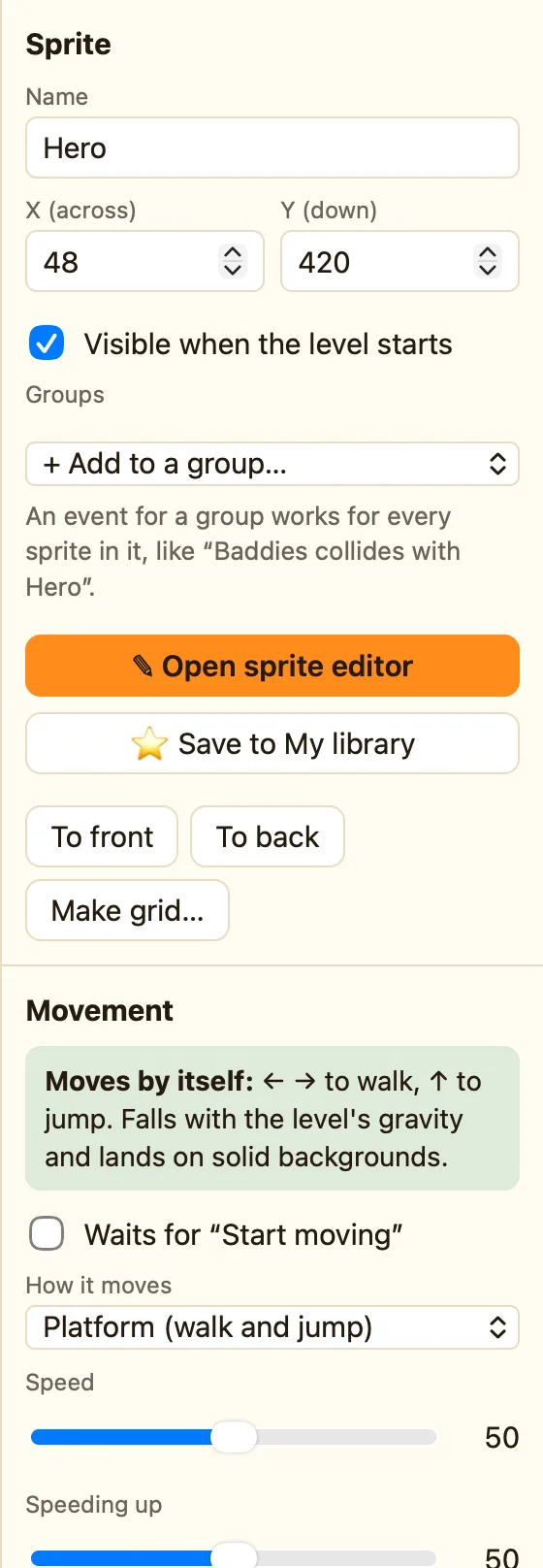
| Name, X, Y, Visible | The same as every object. See Settings every object has. |
|---|---|
| Falls with gravity | Tick it and the sprite drops with the level's gravity. Platform sprites always fall, so they do not show this box. |
| Groups | Advanced. Put the sprite in a group like Baddies and write one rule for the lot. See Groups of sprites. |
| ✎ Open sprite editor | Draw it, animate it, import a picture. |
| ⭐ Save to My library | Keep it to use in other games. |
| Movement | Stays still, Arrow keys (8 directions), Platform (walk and jump), Bouncing ball, Patrols back and forth, Chases another object, and more in Advanced. See How movements work. |
Rules sprites can use
Each sprite gets its own column in the Events tab. The most used tests and actions are:
Collides with another object Collides with a background Leaves the play area Compare the number of these objects Is near another object
Destroy Bounce Set position Change animation Shoot an object Hide Show
WhenHero collides with Coin
DoDestroy CoinAdd 10 to scorePlay sound Coin
The full lists are in the reference, starting at Sprites: collisions.
