
Share as web page
Turn your game into one web page with everything inside, then send it to anyone with a browser.
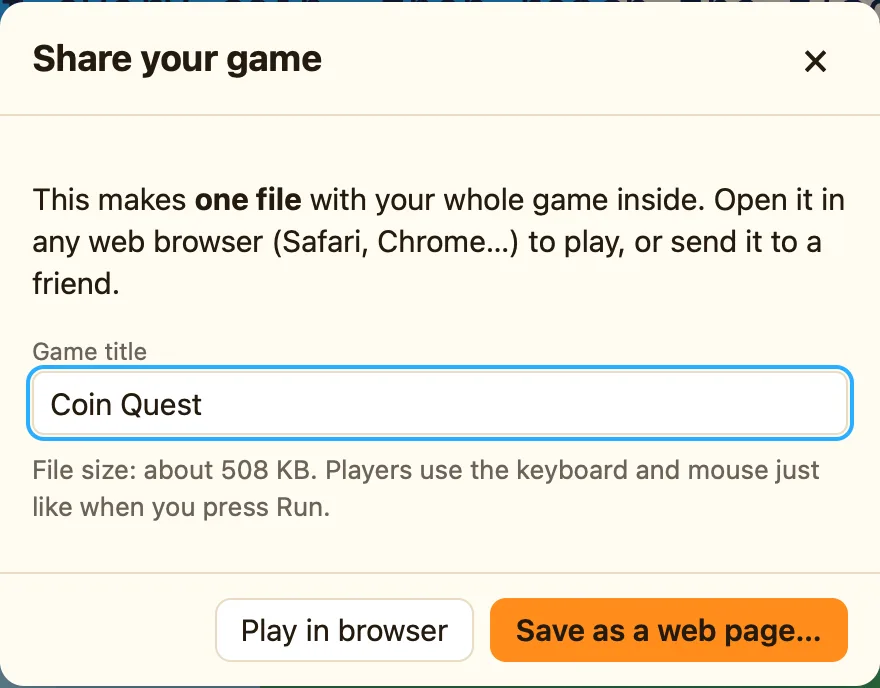
What sharing makes
Click Share… on the toolbar, or press ⌘E. NutHouse makes one .html file. The dialog says it best: “This makes one file with your whole game inside. Open it in any web browser (Safari, Chrome…) to play, or send it to a friend.”
The file holds your game and the bit of NutHouse that plays games. Your friend does not need NutHouse. They double-click the file and it opens in their browser, on a Mac, a PC, an iPad or a phone.
How to share
- Press ⌘E. The Share your game dialog opens.
- Check the Game title. It becomes the file name and the name on the start screen.
- Click Save as a web page… and choose where to put it.
- NutHouse says “Saved My Maze.html. Double-click it to play!” and shows the file in the Finder.
- Send the file by email, AirDrop or a shared folder.
What the dialog shows
| Game title | The name players see. Change it here without changing your .nuthouse file. |
|---|---|
| File size | “About N KB.” Imported pictures and sounds make it bigger. See My shared game is big. |
| Play in browser | Opens the page straight away to try it, without saving. See Play in browser. |
| Save as a web page… | Saves the .html file. |
Before you share
Fill in About this game in the Whole game section: who made it and how to play. Players see this on the start screen. See The start screen and About this game.
